darktable
Discover darktable, the professional open-source raw image editor for Linux. Learn how its advanced lighttable and darkroom modes elevate your photography.
Imagine coming home from a long day of shooting with hundreds of raw files, only to face the daunting task of sorting, organizing, and developing them into gallery-ready masterpieces. The darktable raw image editor is specifically engineered to solve this creative bottleneck, offering Linux photographers a virtual lighttable and darkroom to manage and refine their visual assets with complete precision.
What is the darktable Raw Image Editor?
Developed by the dedicated darktable developers, this powerful application sits comfortably in our design category as a premier solution for non-destructive photo editing. Built to handle modern camera sensor outputs, the darktable raw image editor acts as a digital darkroom. It allows you to import raw files, organize them in a centralized database, and perform highly detailed color grading, exposure adjustments, and structural enhancements without altering your original source files.
Core Features for Professional Workflows
The application splits its powerful toolset into intuitive workspaces designed to mirror traditional photographic workflows:
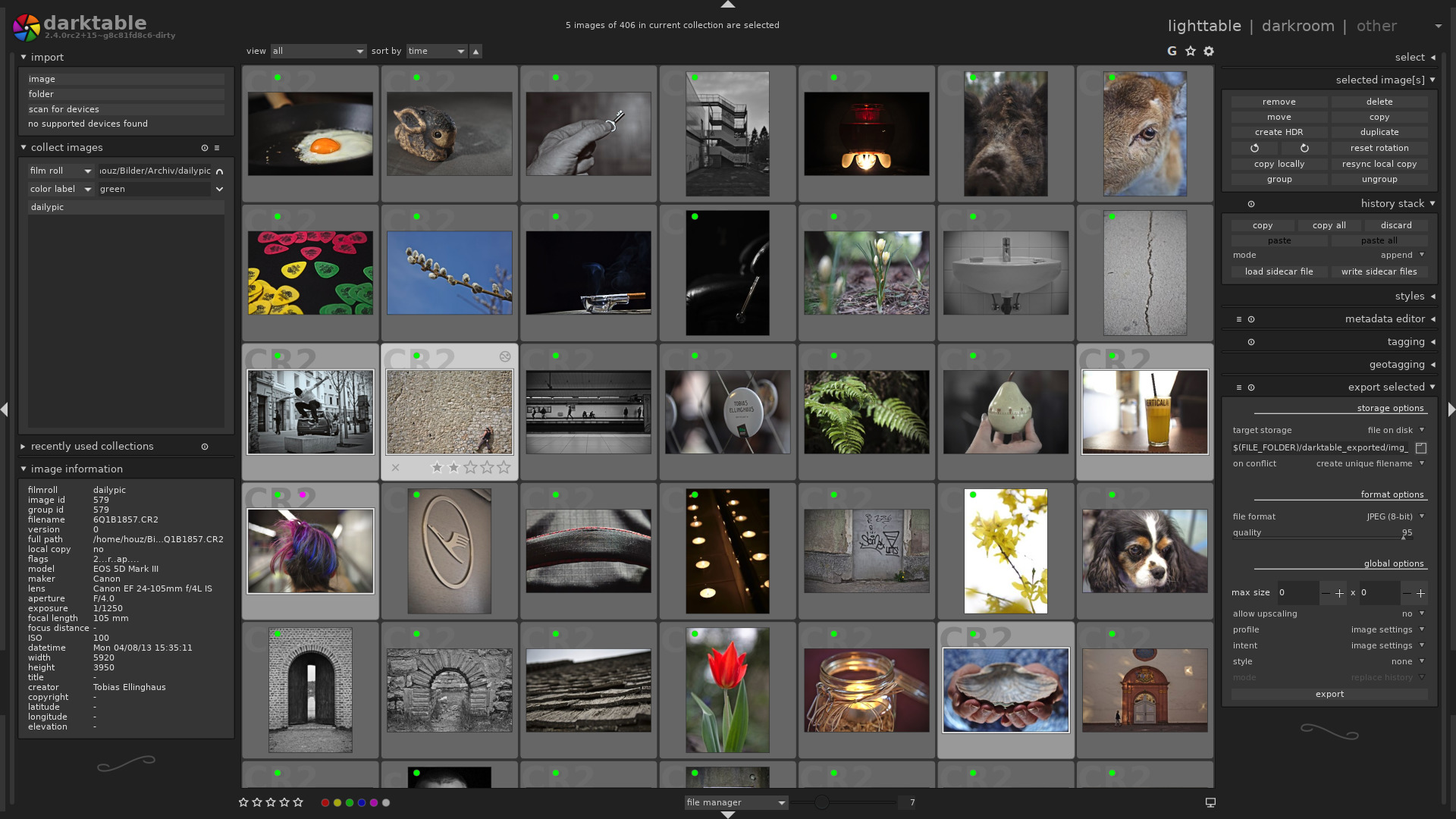
- The Lighttable Mode: This is your control center for digital asset management. Here, you can sort, rate, tag, and organize your images to streamline your cataloging process.
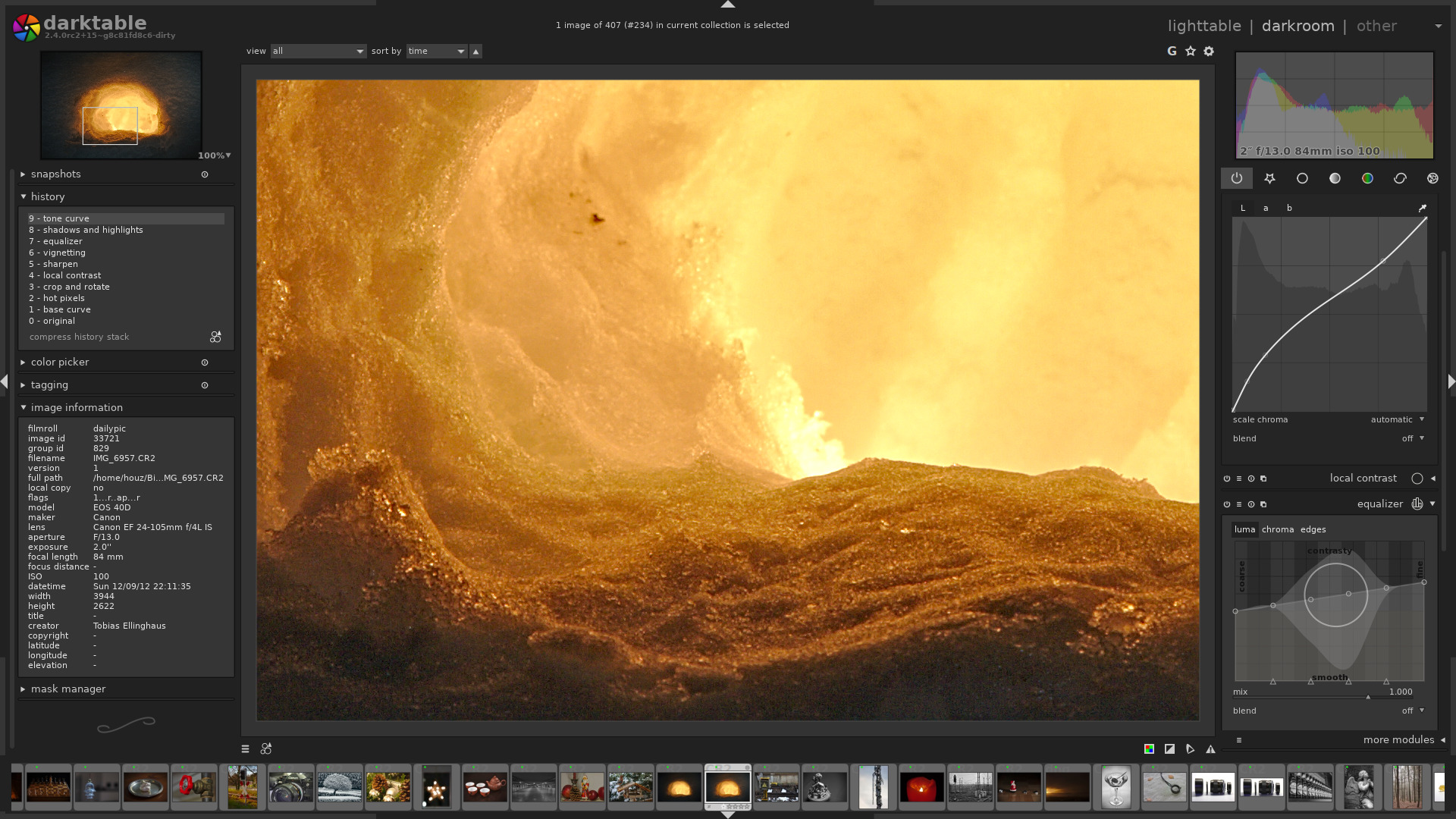
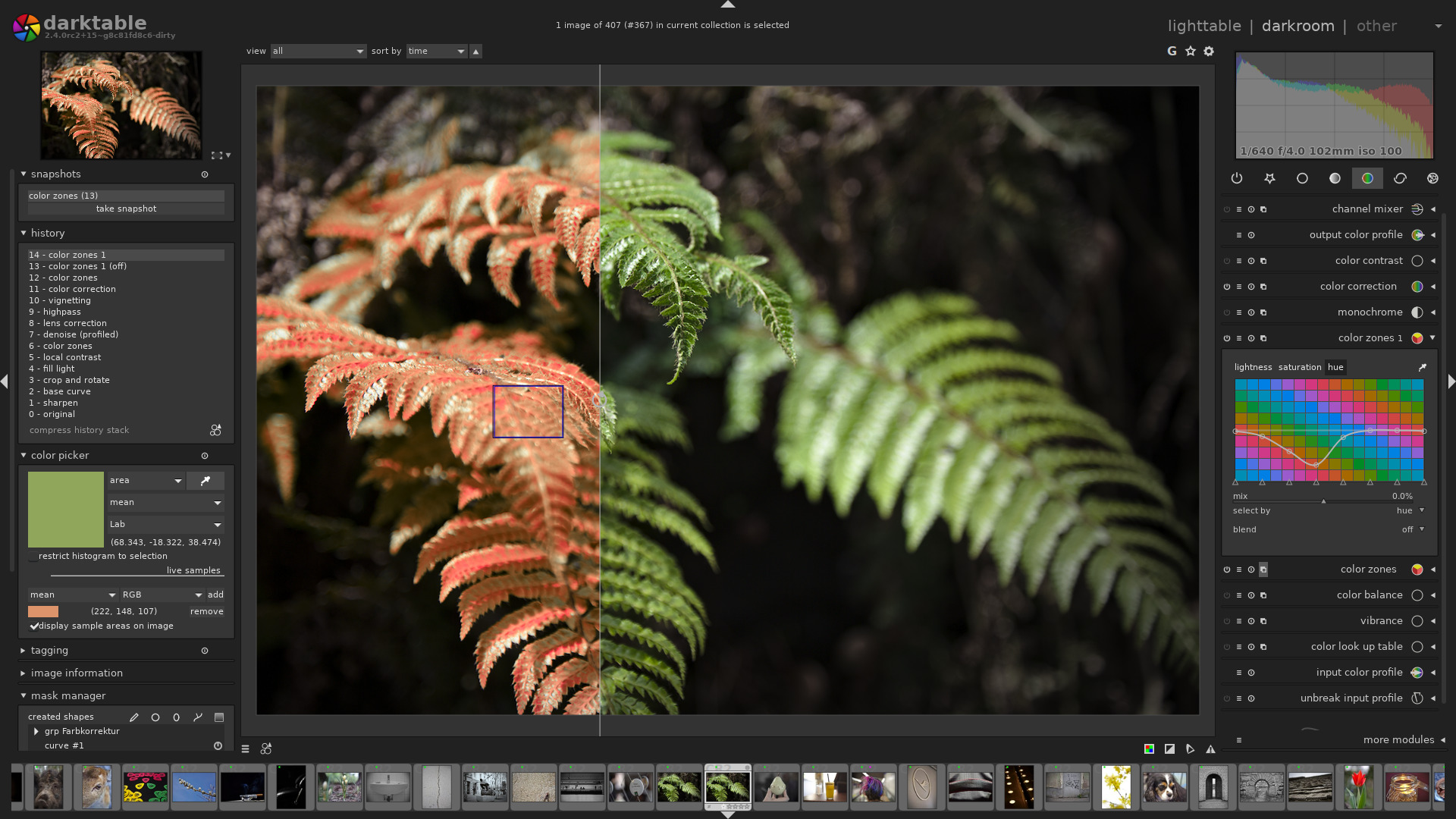
- The Darkroom Mode: This interface houses the high-precision development tools. It enables you to manipulate exposure, white balance, tone curves, and color profiles with exceptional accuracy.
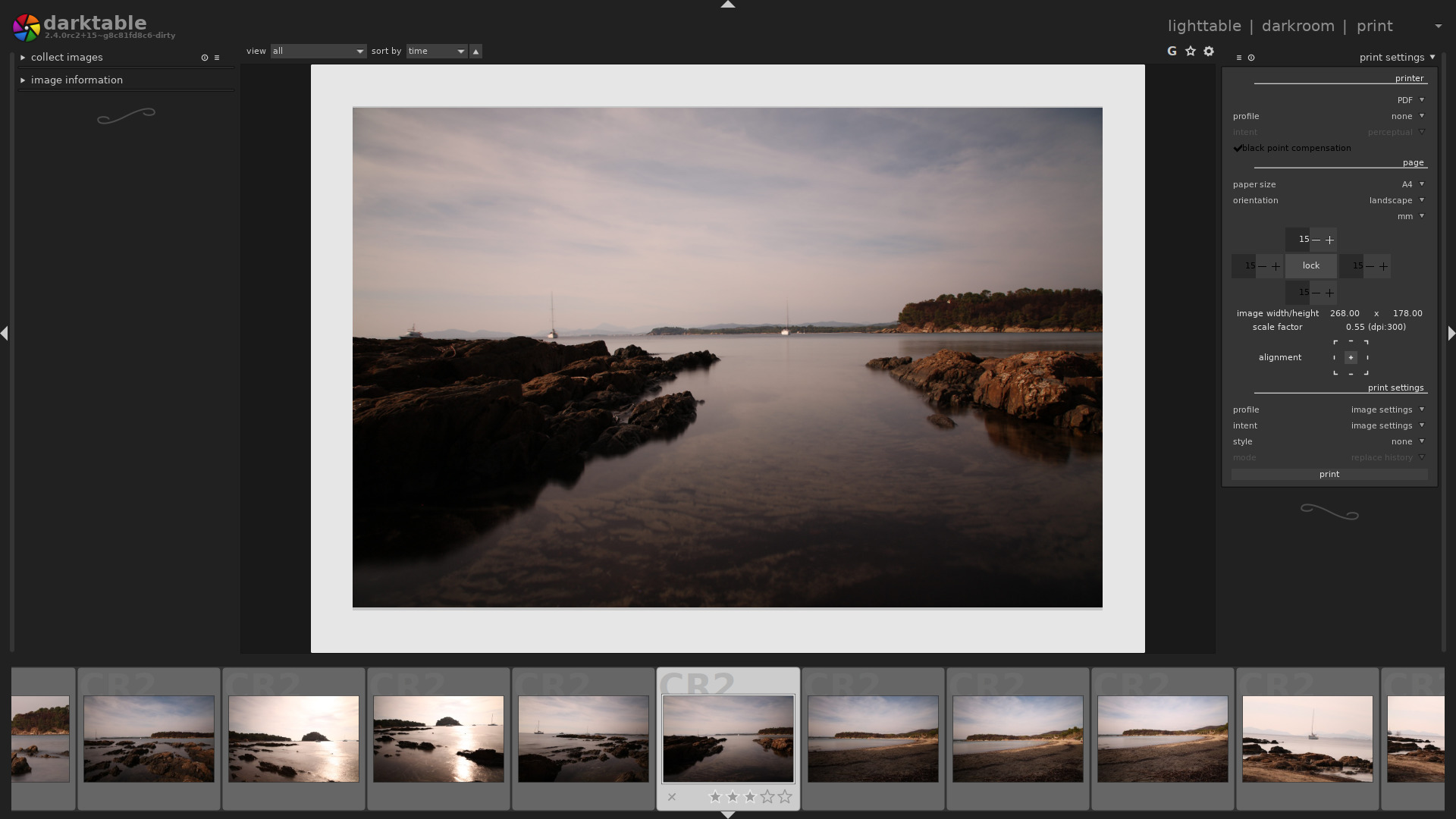
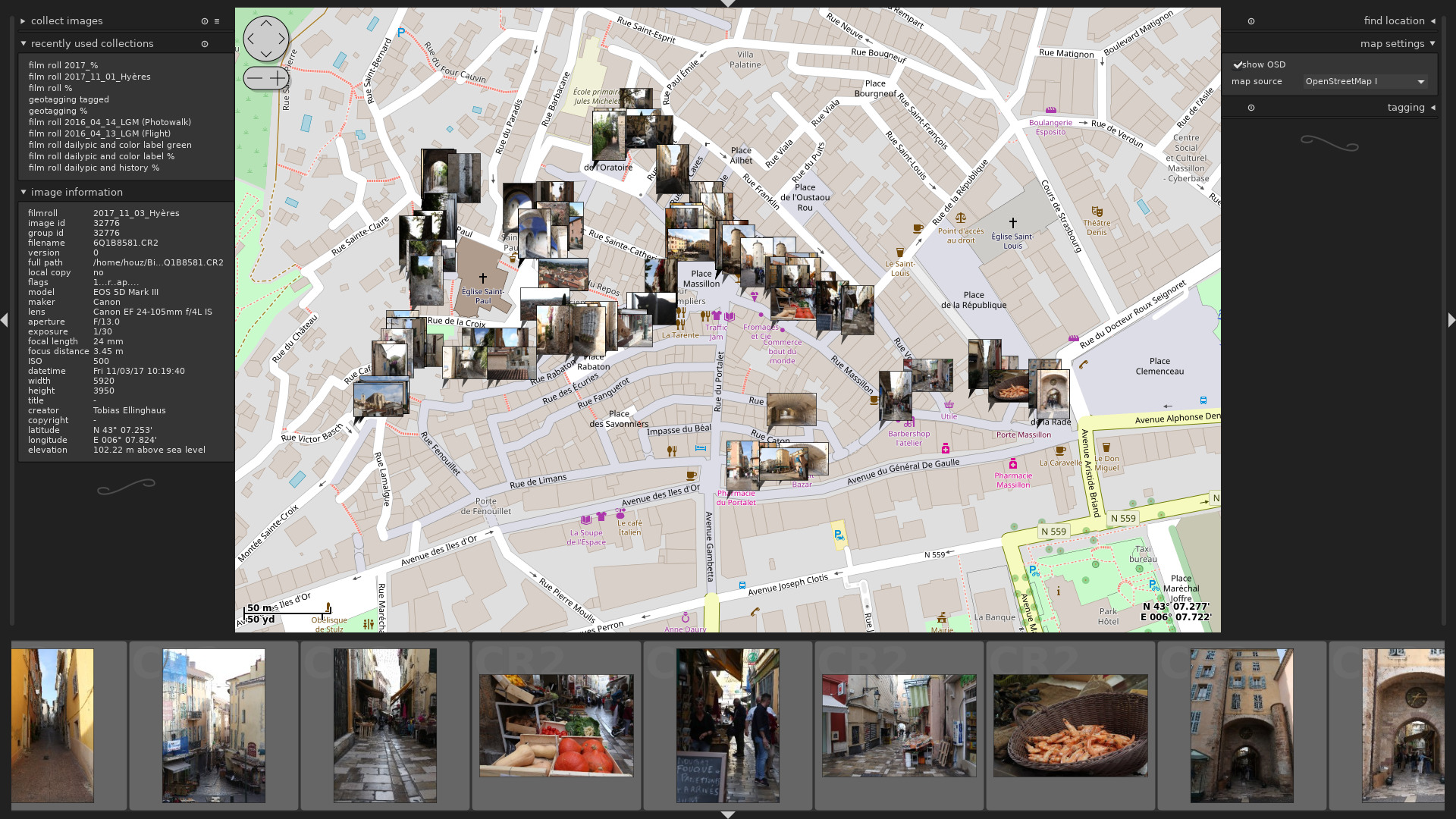
- Advanced Connectivity: Beyond basic editing, the software supports live tethering, geotagging via an interactive map interface, direct printing setups, and custom slideshow creation.
Who Benefits Most from This Software?
Whether you are a seasoned professional capturing landscapes or an enthusiast exploring portraiture on Linux, the darktable raw image editor provides the granular control needed for high-fidelity rendering. By utilizing high-precision processing pipelines, it ensures that your color transitions remain smooth and your details stay incredibly sharp, making it an indispensable asset for any serious design and photography toolkit.
Pros and Cons
- Pros: Completely free to use, robust non-destructive editing pipeline, native Linux optimization, and extensive camera raw format support.
- Cons: The advanced interface presents a steep learning curve for absolute beginners.
Final Verdict
For Linux users seeking a studio-grade photo management and development suite, this application stands out as a top-tier contender. Ready to take your photography workflow to the next level? We invite you to explore the official distribution and learn more on the official Flathub store page.